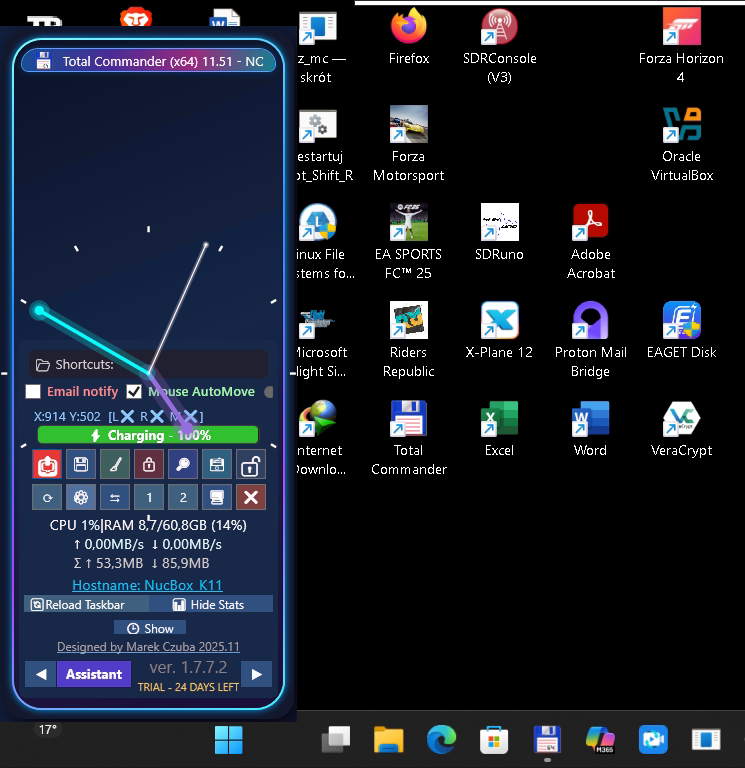
Compact vertical taskbar
Dock it left or right and keep controls, shortcuts, clock and live status within reach.
Custom MC Taskbar combines application control, live system monitoring, shortcuts, productivity tools, Outlook integration, diagnostics and a dedicated amateur radio command center in one compact desktop bar.
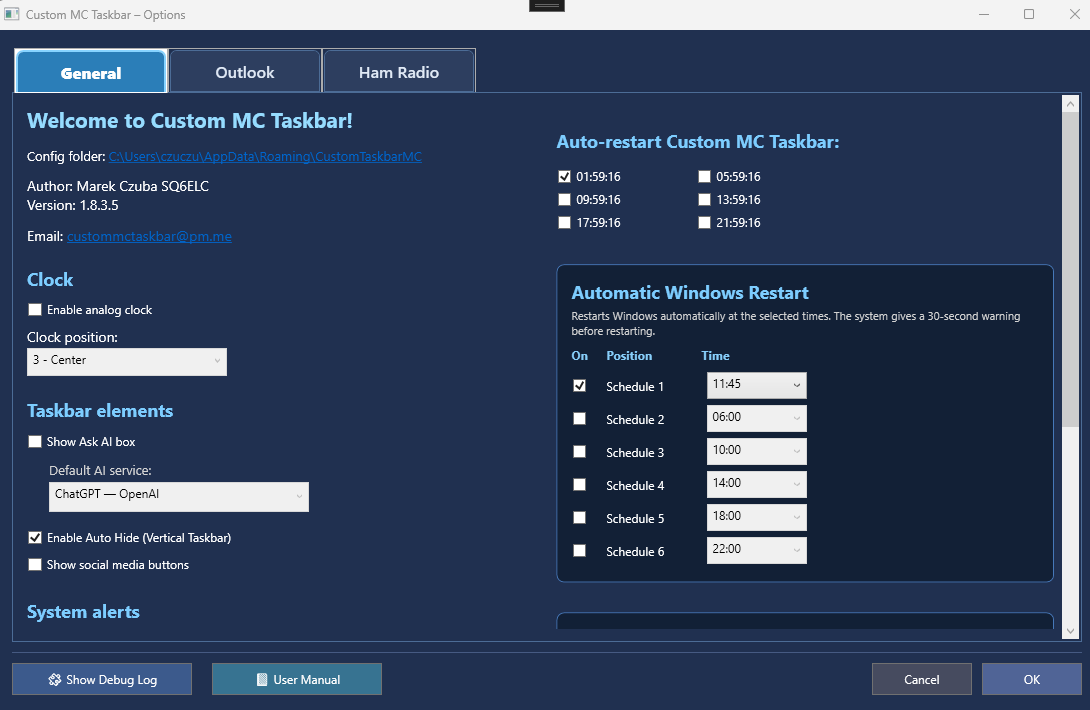
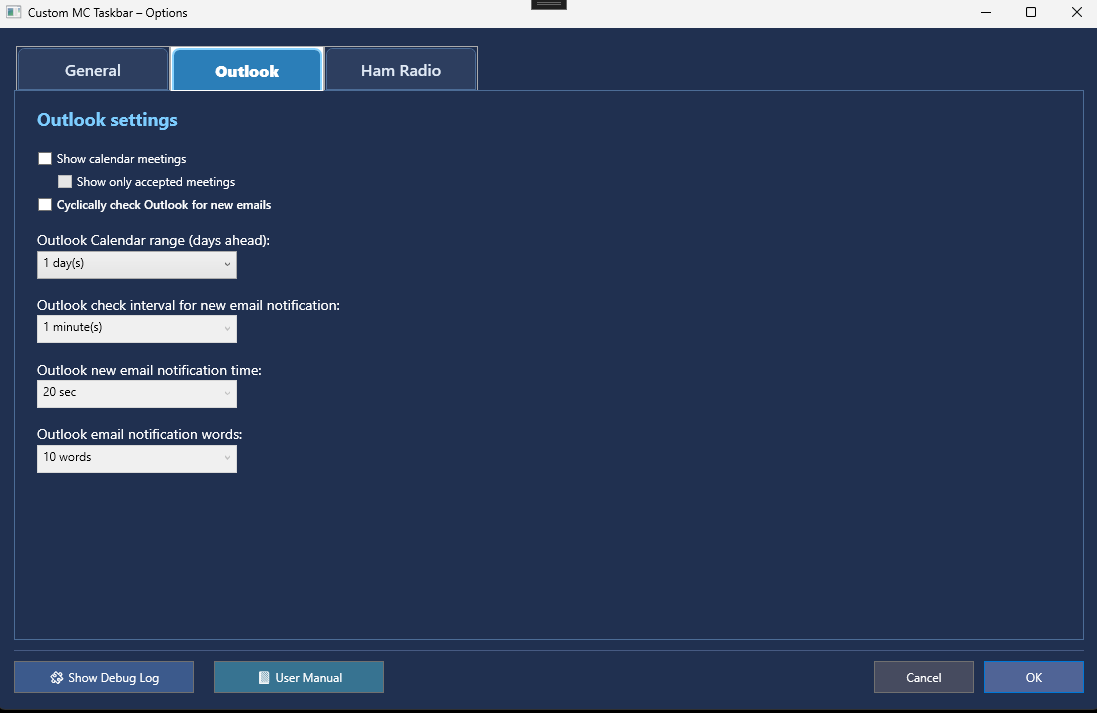
The current Options window is divided into General, Outlook and Ham Radio tabs. The guide below follows the actual interface shown in the application and explains what each group controls.
The General tab contains application-wide settings and scheduled maintenance functions. It is the place to configure the analog clock, the visible taskbar elements, the default AI provider, Auto Hide, social-media buttons and system alerts.
RTL-SDR continuity: before a programmed Windows restart or shutdown, Custom MC Taskbar saves whether the receiver window, scanner and Internet streaming were active. After Windows starts and the application launches, those functions can be restored automatically.
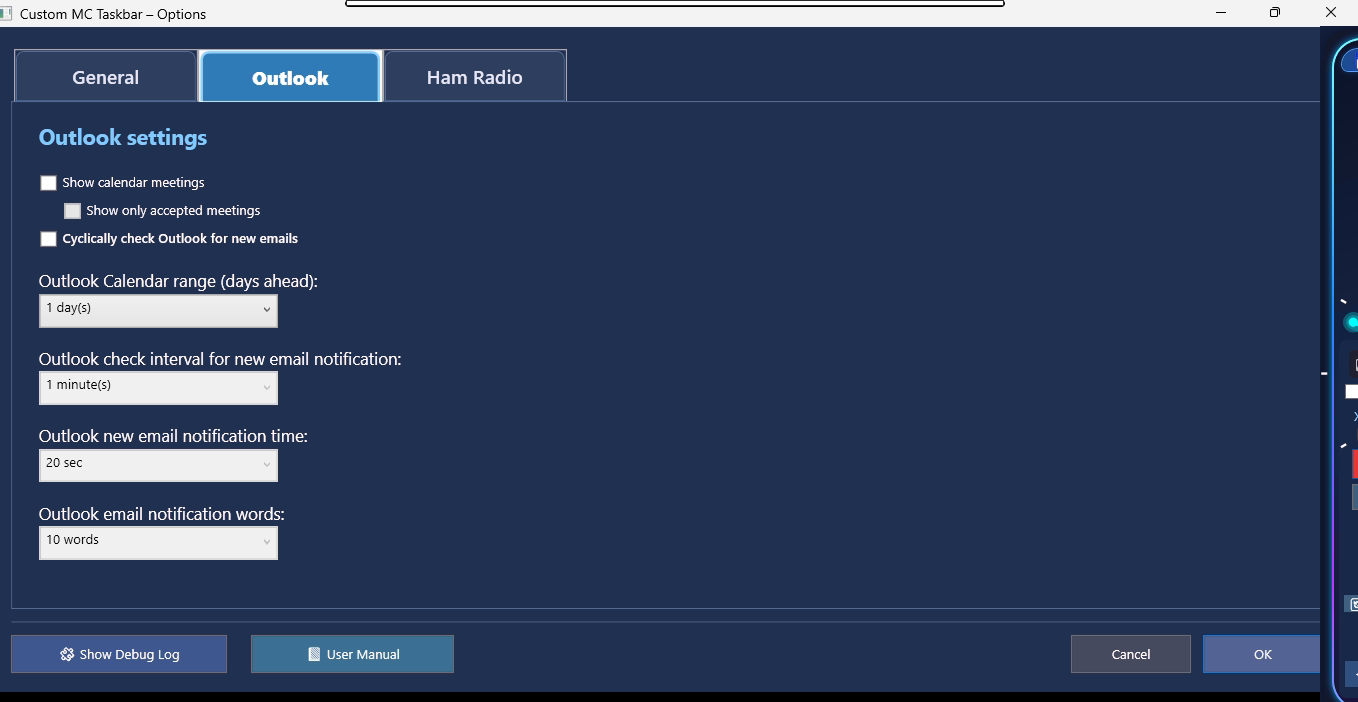
The Outlook tab controls calendar and email integration. You can show calendar meetings, limit the display to accepted meetings, cyclically check Outlook for new email, define how many days are included in the calendar view, choose the polling interval, notification duration and the number of words shown in the message preview.
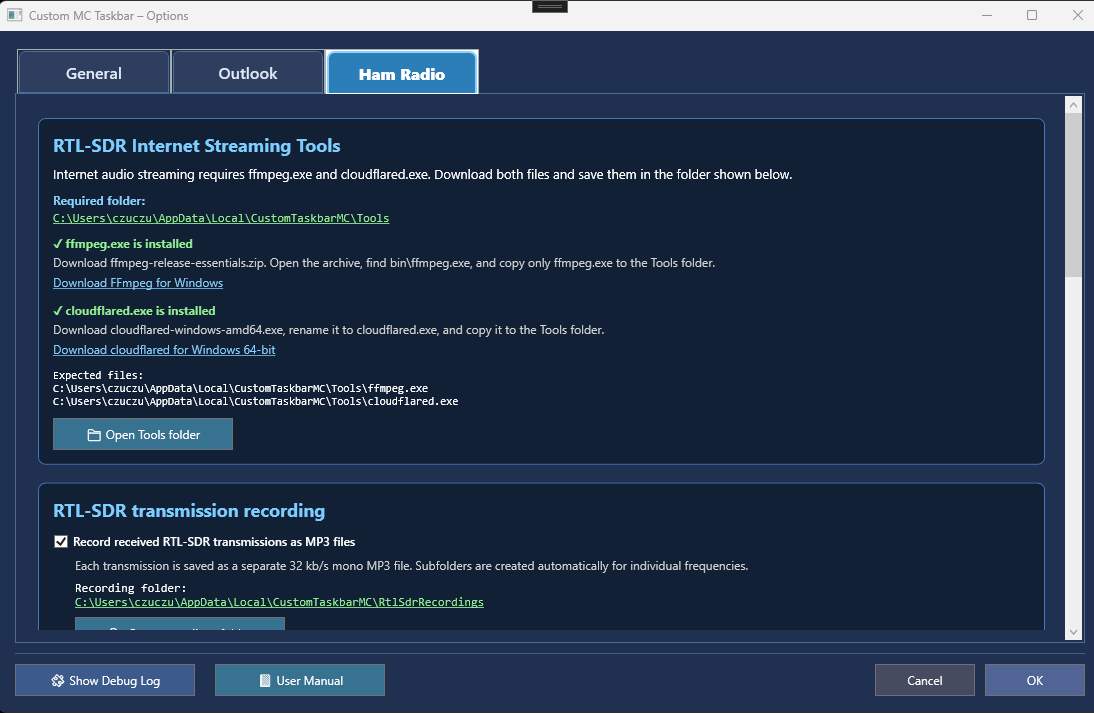
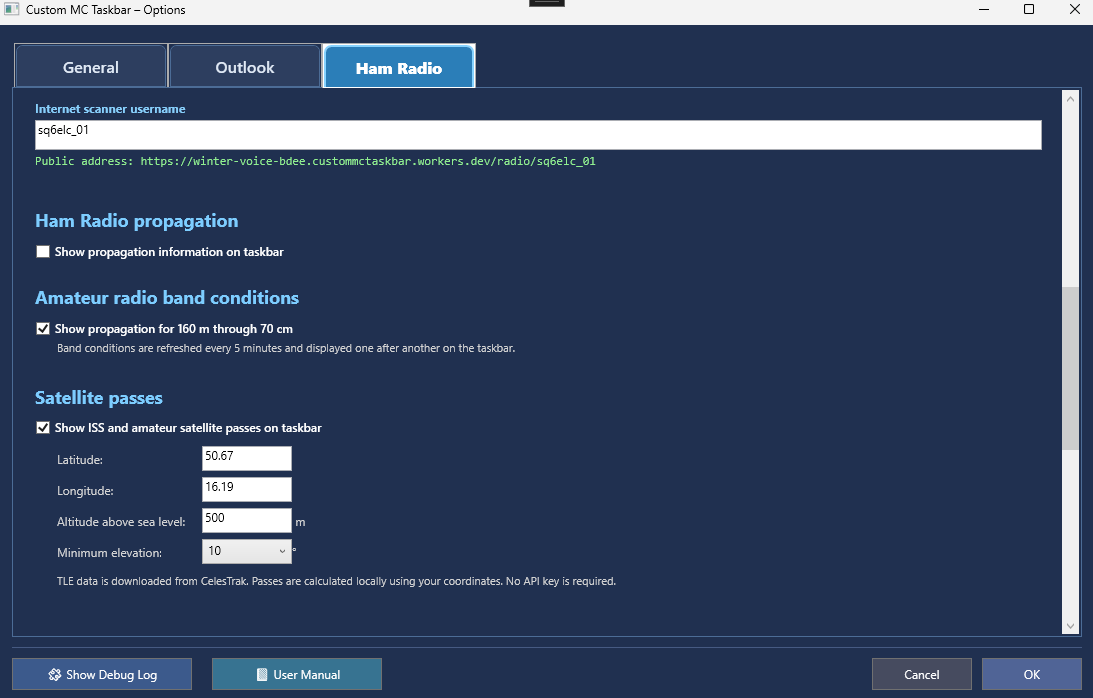
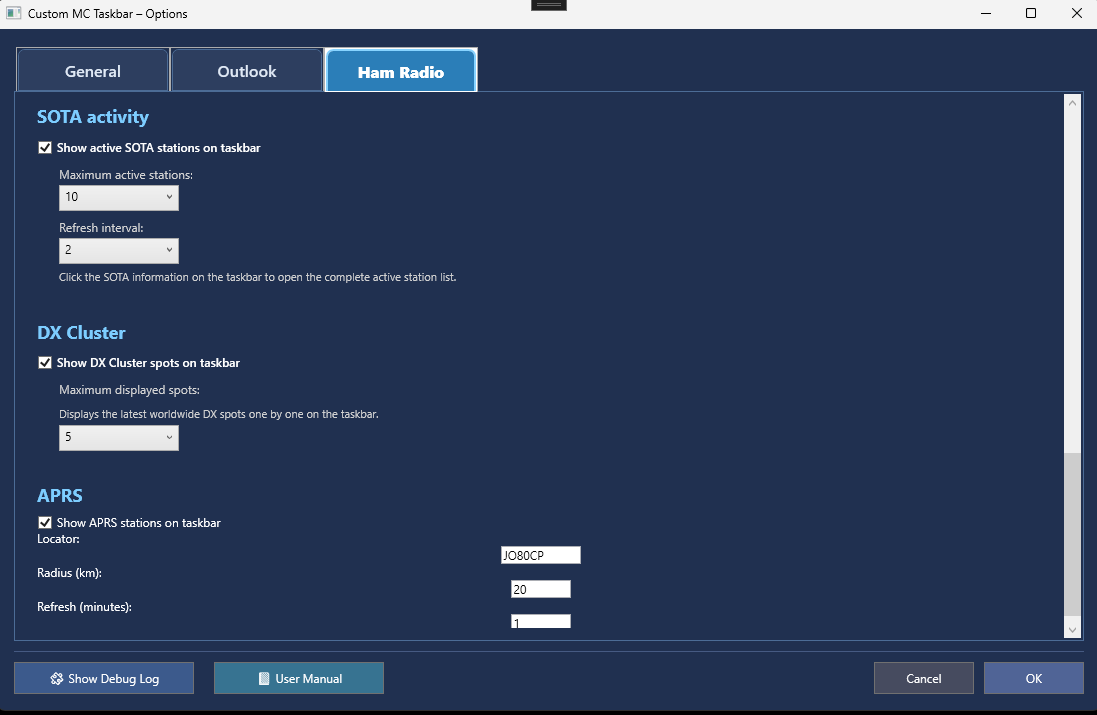
The Ham Radio tab is a scrollable control center for the Internet scanner, propagation services, satellites, SOTA, DX Cluster, APRS, required streaming tools and MP3 recording.
Set the public scanner username used in the web address. The interface verifies whether ffmpeg.exe and cloudflared.exe are installed, shows the required folder, provides download links and opens the Tools directory.
When enabled, each received transmission is stored as a separate 32 kb/s mono MP3 file. Frequency-specific subfolders are created automatically, and the recording folder can be opened directly from Options.
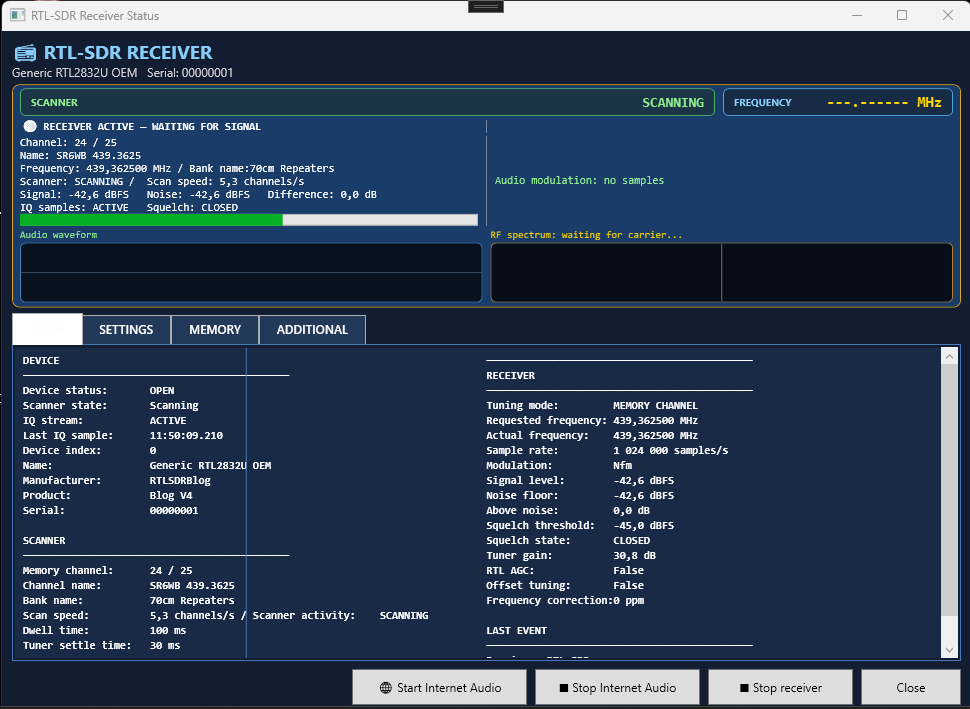
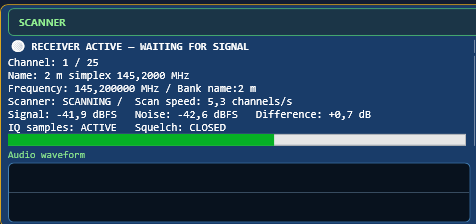
The RTL-SDR module combines a memory scanner, live signal analysis, automatic FFT peak tuning, dynamic receiver controls, Internet audio and an independent fast-frequency-discovery tool.
The header identifies the connected RTL-SDR. The live panel shows the scanner state, actual tuned frequency, current channel and bank, scan speed, signal level, noise floor, difference above noise, IQ activity and squelch state. Audio waveform and RF spectrum panels provide immediate visual feedback.
Automatic peak tuning compensates for small transmitter and receiver frequency errors. It searches only near the current memory channel, waits for a stable peak and then retunes the receiver to improve voice intelligibility.
While the RTL-SDR memory scanner is running, you can enable the built-in Internet audio streaming option. The online player follows the scanner in real time and lets you hear the same radio traffic currently received by the RTL-SDR device.
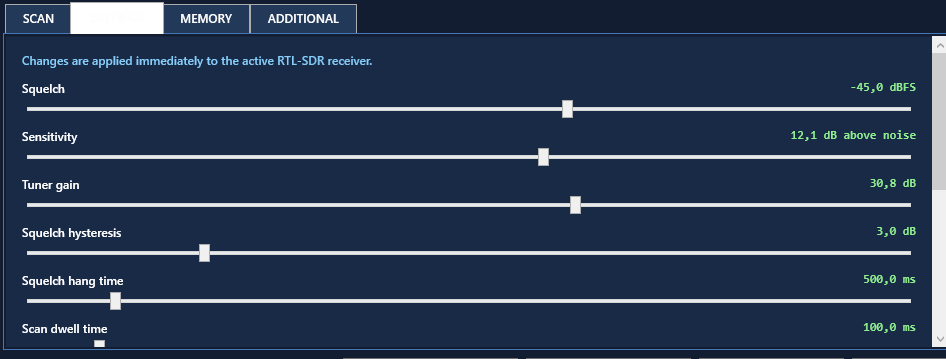
The Settings tab applies changes immediately to the active receiver. Squelch, Sensitivity, tuner gain, hysteresis, hang time, scan dwell time and signal smoothing can be changed without stopping the scanner. RTL AGC can also be switched on or off.
Receiver Profiles store complete slider sets. A profile can be loaded, saved, deleted, reset, or saved as the startup default.
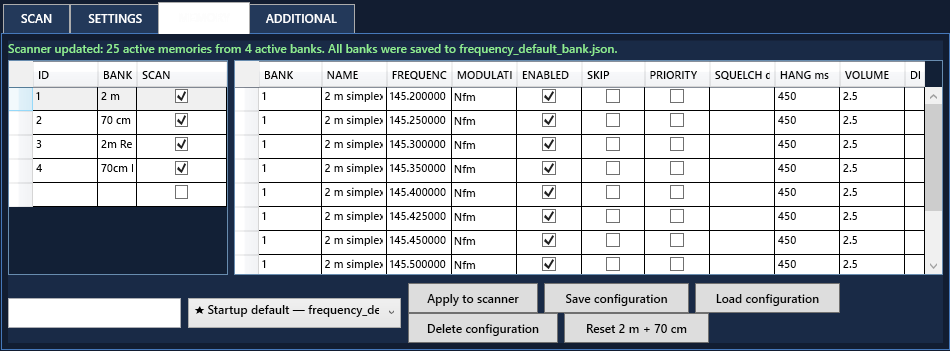
The Memory tab separates banks from individual memories. Only banks with SCAN enabled and memories with ENABLED selected are included in scanning. Each memory can define its bank, name, frequency, modulation, skip/priority flags, optional per-channel squelch and hang time, volume and description.
The current configuration can be applied immediately, saved under a name, loaded later, deleted or reset to the default 2 m and 70 cm layout. The startup bank is stored in frequency_default_bank.json.
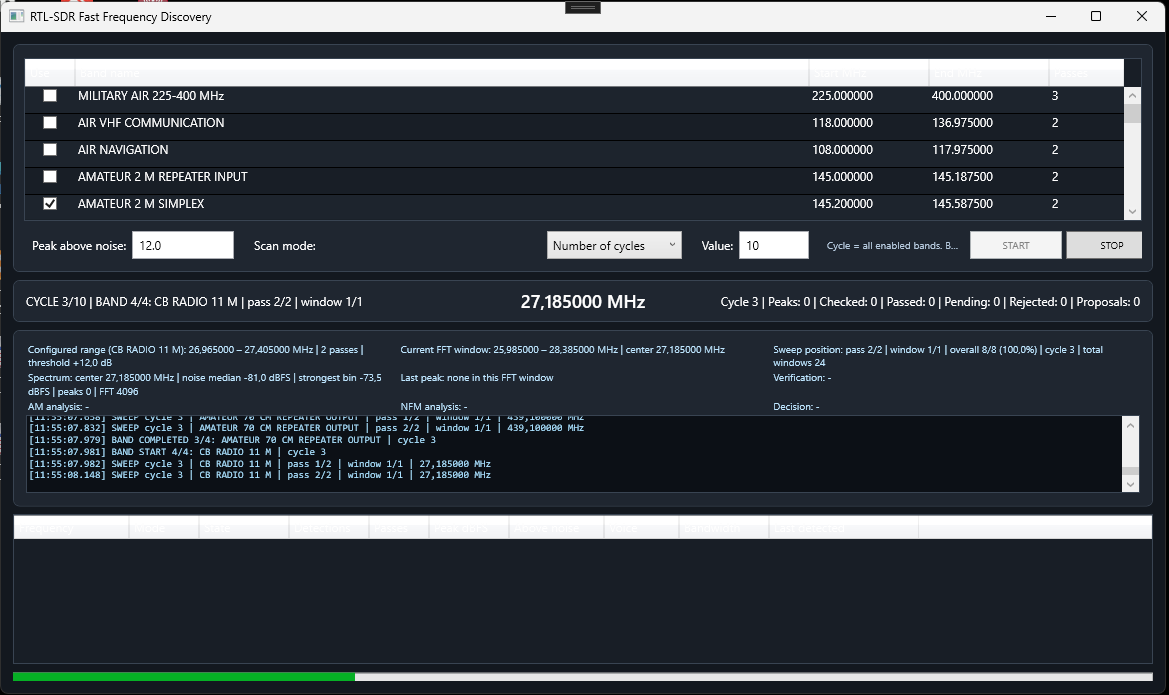
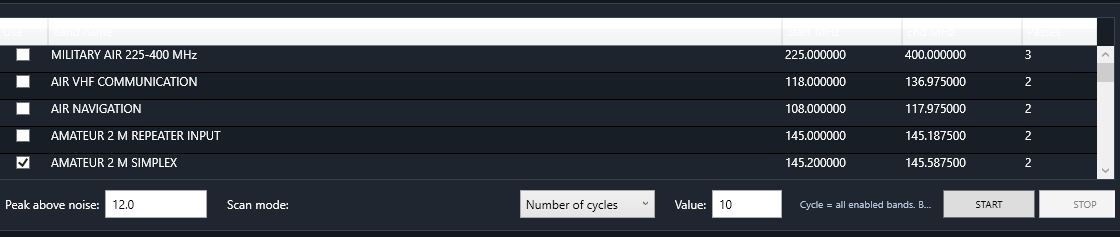
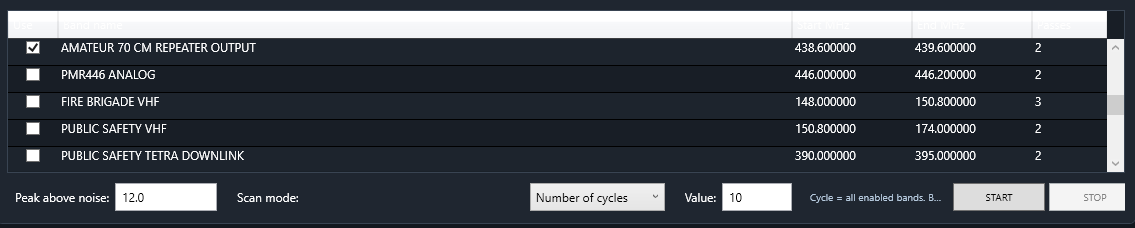
Fast Frequency Discovery is a separate spectrum-search window. It scans enabled frequency bands in wide FFT windows, finds local peaks, verifies candidates and compares AM and NFM behavior. Known frequencies are skipped, and likely carriers, tones or broadband interference are rejected.
Each band has an Enable checkbox, name, start and end frequencies and a number of passes. The default list includes military and civil aviation, 2 m and 70 cm simplex/repeater segments, PMR446, fire brigade, public safety, TETRA downlink, marine, railway, business radio, CB, weather satellites and AIS.
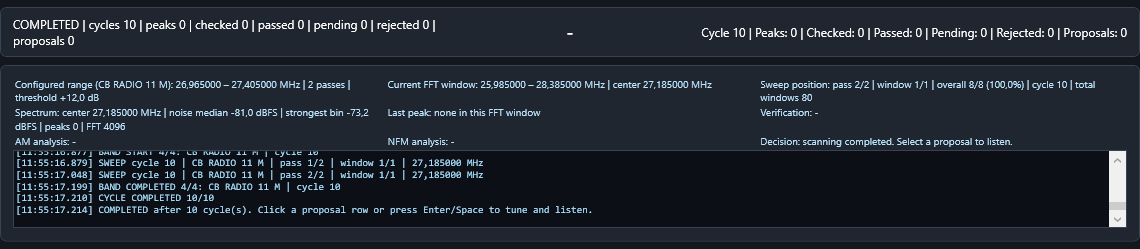
The window displays the active cycle, band, pass, FFT window, center frequency, spectrum median, strongest bin, verification status and AM/NFM analysis. Accepted proposals can be exported to the normal scanner bank.
Practical starting point: enable only the bands you currently need and begin with a moderate “Peak above noise” value. More passes improve confidence but increase scan time.

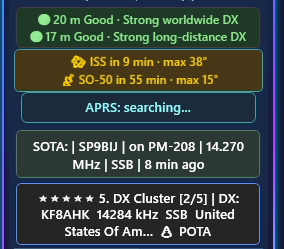
Reduce manual checking and keep key operating information visible while you work.
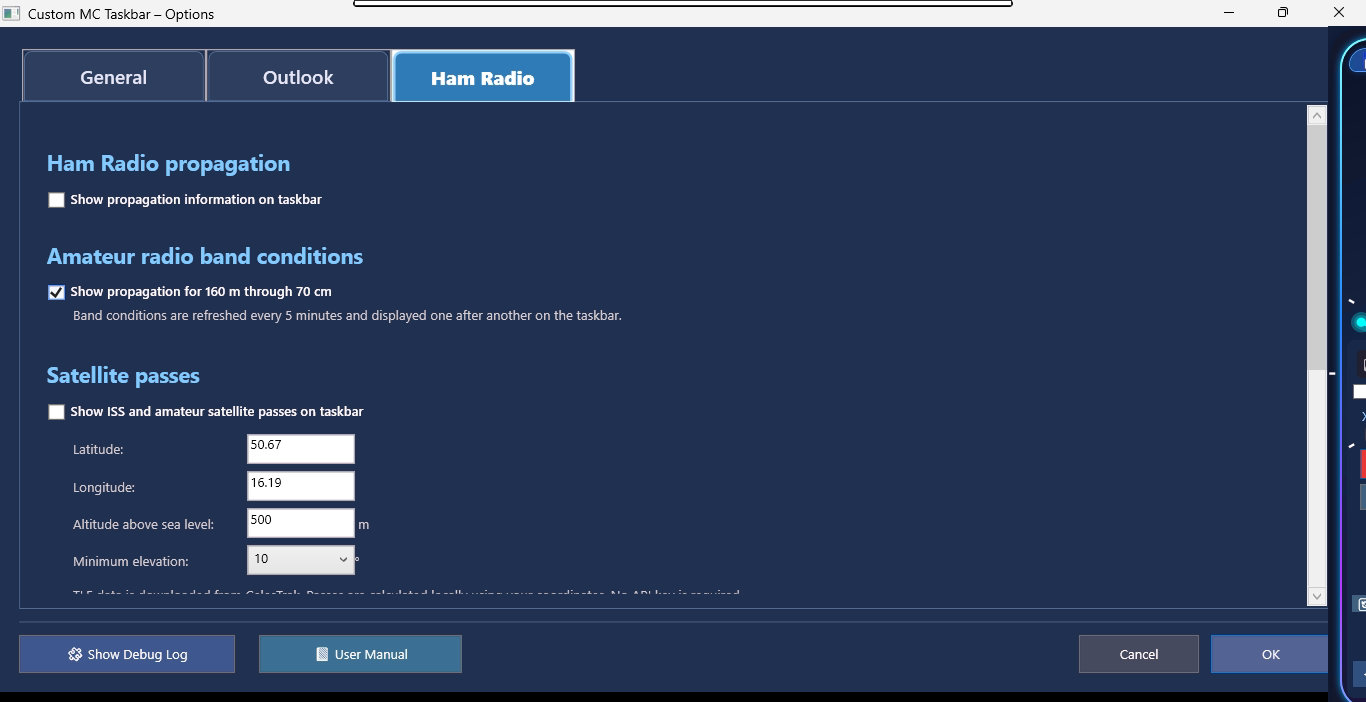

Automatically refreshed propagation information for HF, 6 m, 144 MHz and 430 MHz.

Local calculations using latitude, longitude, altitude and minimum elevation for ISS and amateur satellites.

Display nearby fixed and mobile APRS stations using your Maidenhead locator and selected radius.

Follow current activators and open complete activity lists directly from the bar.
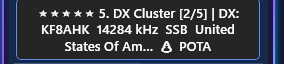
Cycle through recent DX spots and open DX Watch, DX Summit, DX Maps, Solar Data and Reverse Beacon Network sources.
Custom MC Taskbar can monitor Outlook for new messages, display configurable desktop notifications and combine email awareness with upcoming calendar meetings in one compact workspace.
Check Outlook cyclically, control the refresh interval, notification duration and the amount of message text shown.
Show upcoming meetings, limit the calendar range and optionally display only accepted appointments.
Use the same taskbar as a compact communications hub: new-mail awareness above, upcoming meetings below, without constantly opening Outlook.
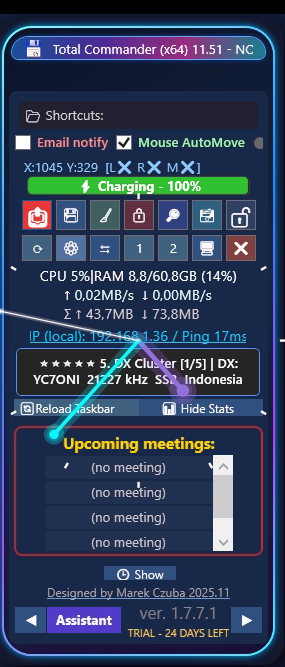
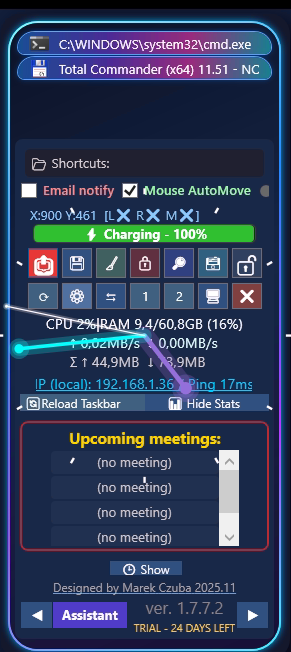
Fast access to actions, system information and utilities that normally require several applications.
Dock it left or right and keep controls, shortcuts, clock and live status within reach.
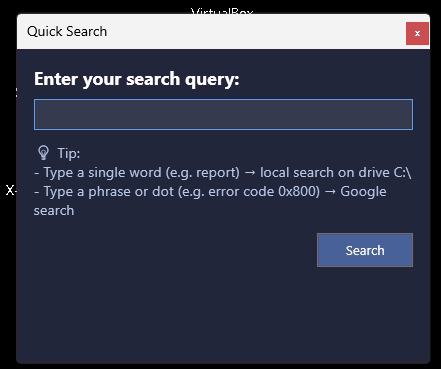
Search local files, folders and the web from one focused window.
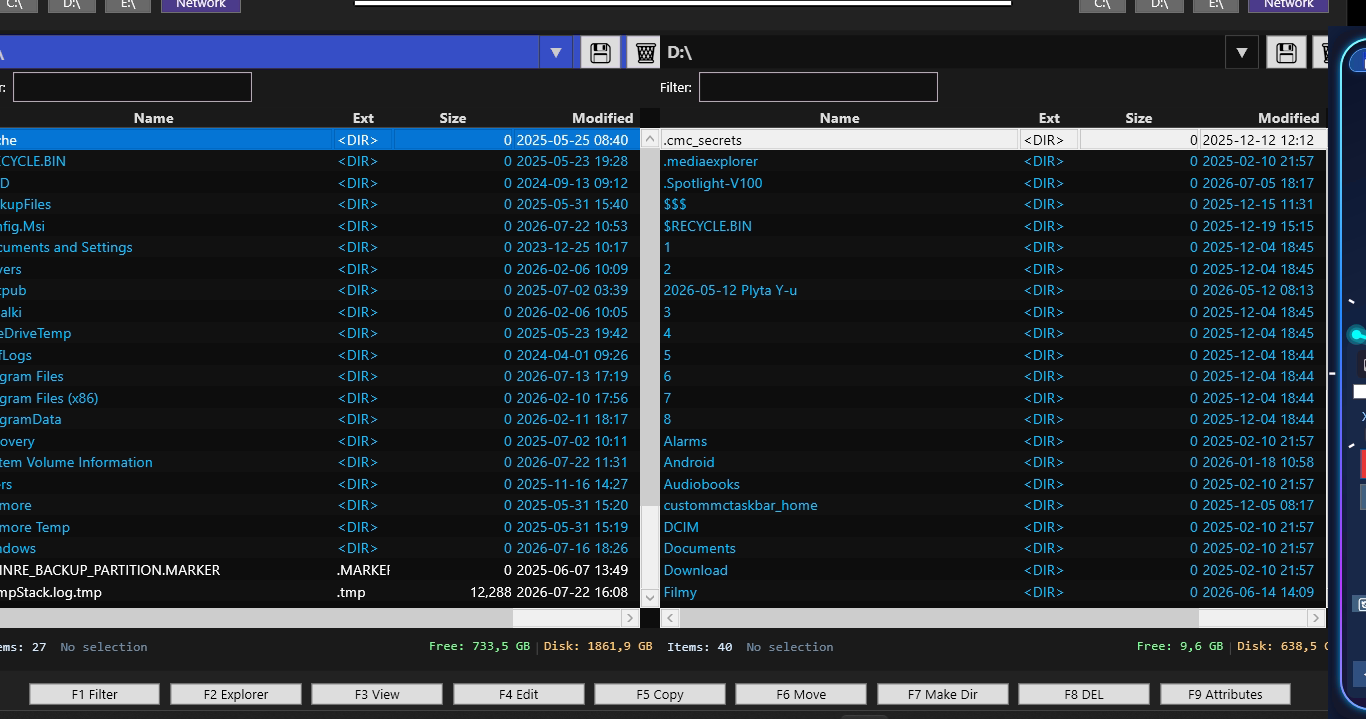
Browse, copy, move and manage files in a practical two-panel layout.
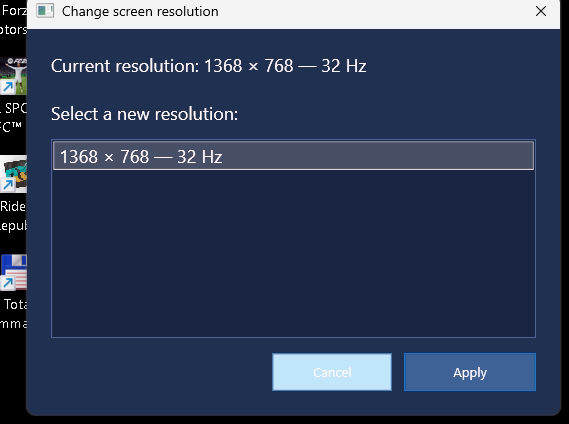
Change display resolution quickly with a dedicated confirmation workflow.
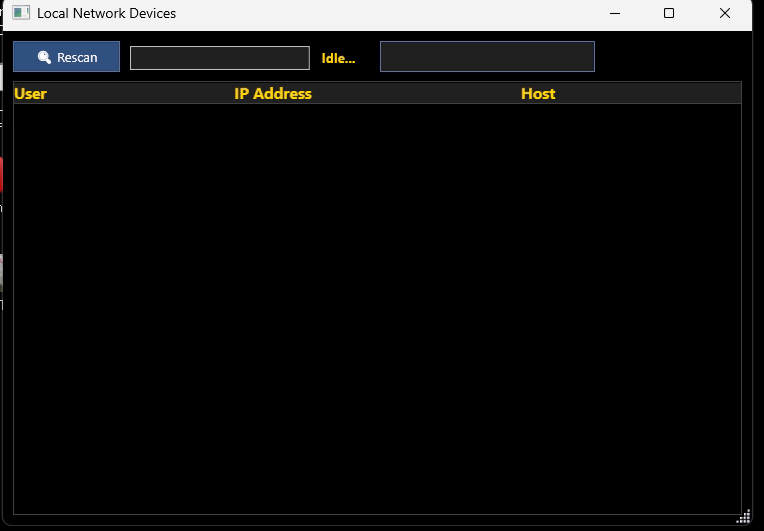
Scan your network and inspect nearby hosts and IP addresses.
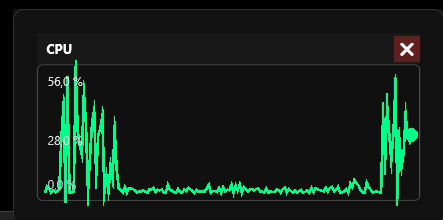
Inspect CPU, memory and network behavior using compact real-time charts.
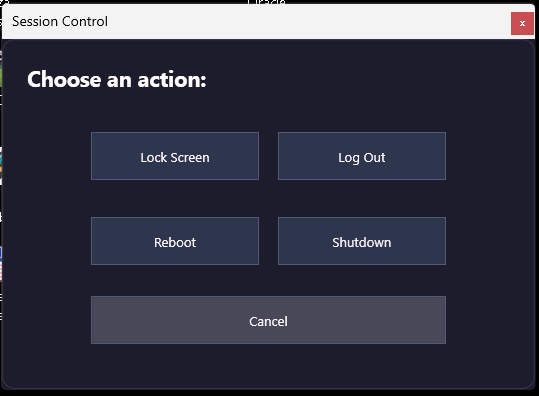
Lock, sign out, restart or shut down Windows from one clean panel.
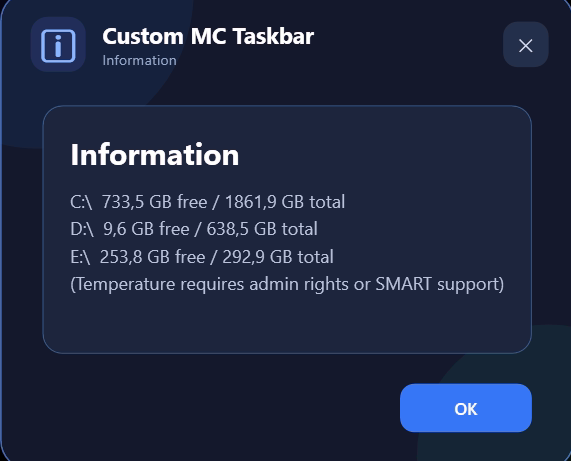
Review free and total storage across all drives.
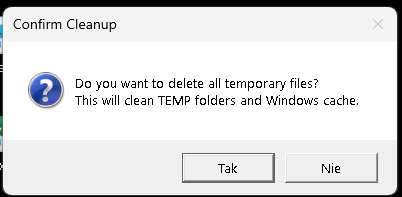
Clean temporary folders and Windows cache after confirmation.
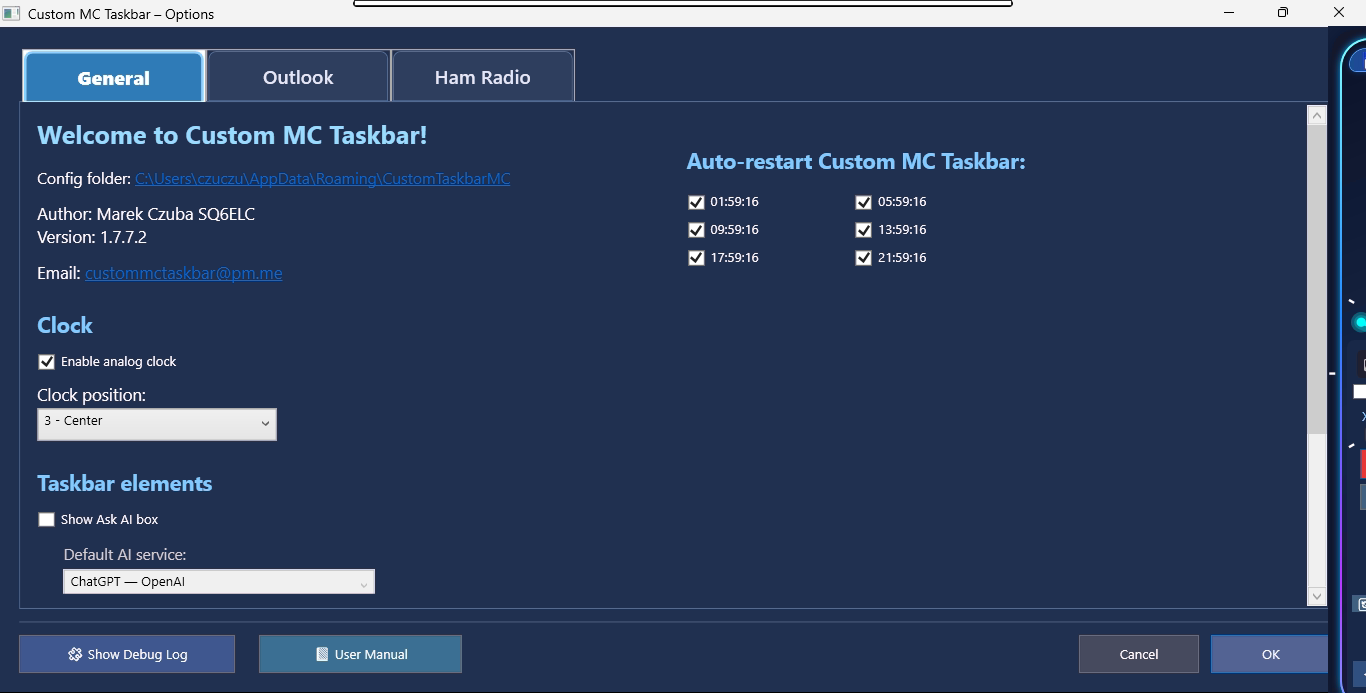
Configure clock behavior, automatic restart times, taskbar elements and application-wide preferences.
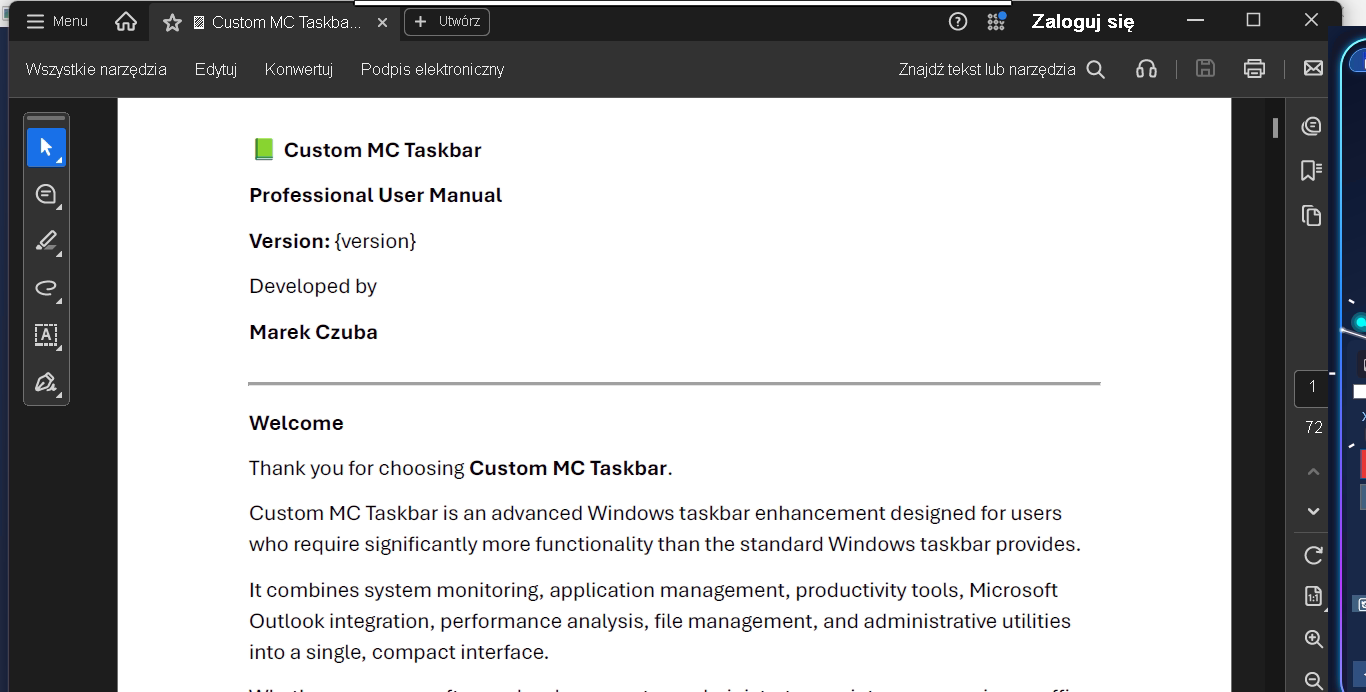
Open the complete product guide directly from the application whenever help is needed.
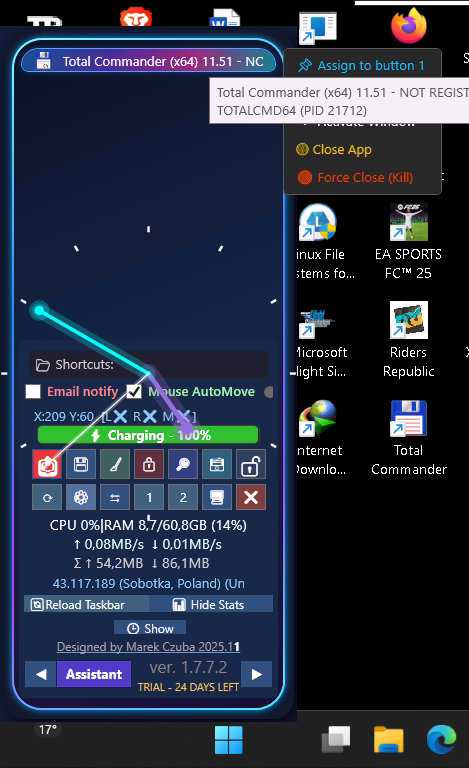
Assign frequently used programs to dedicated taskbar buttons for one-click launching.
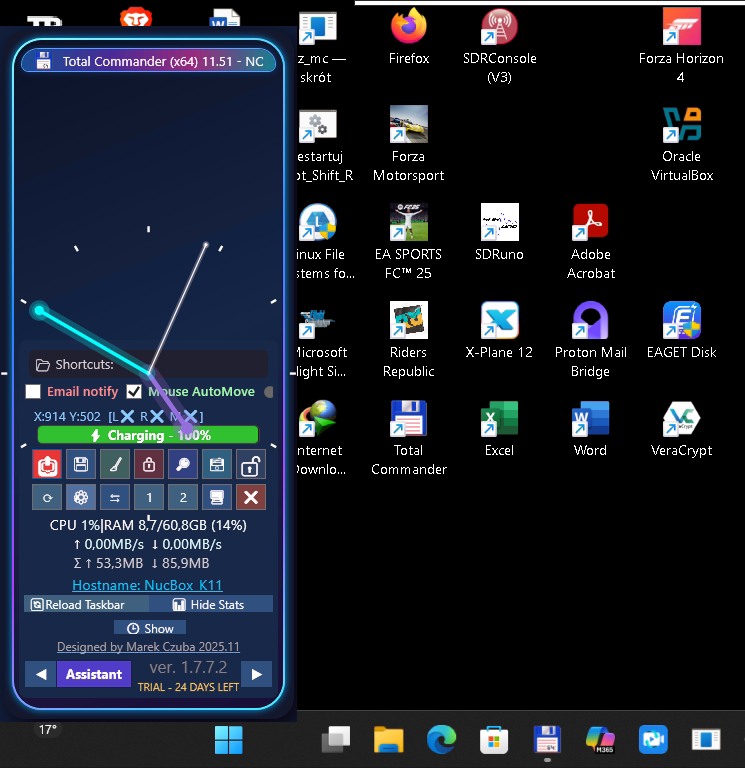
Place the taskbar in an alternative screen position while keeping the Windows desktop accessible.
Searchable access to Windows tools, network diagnostics, performance analysis and guided troubleshooting workflows. Click any section below to read a detailed explanation of what it contains and when it is useful.
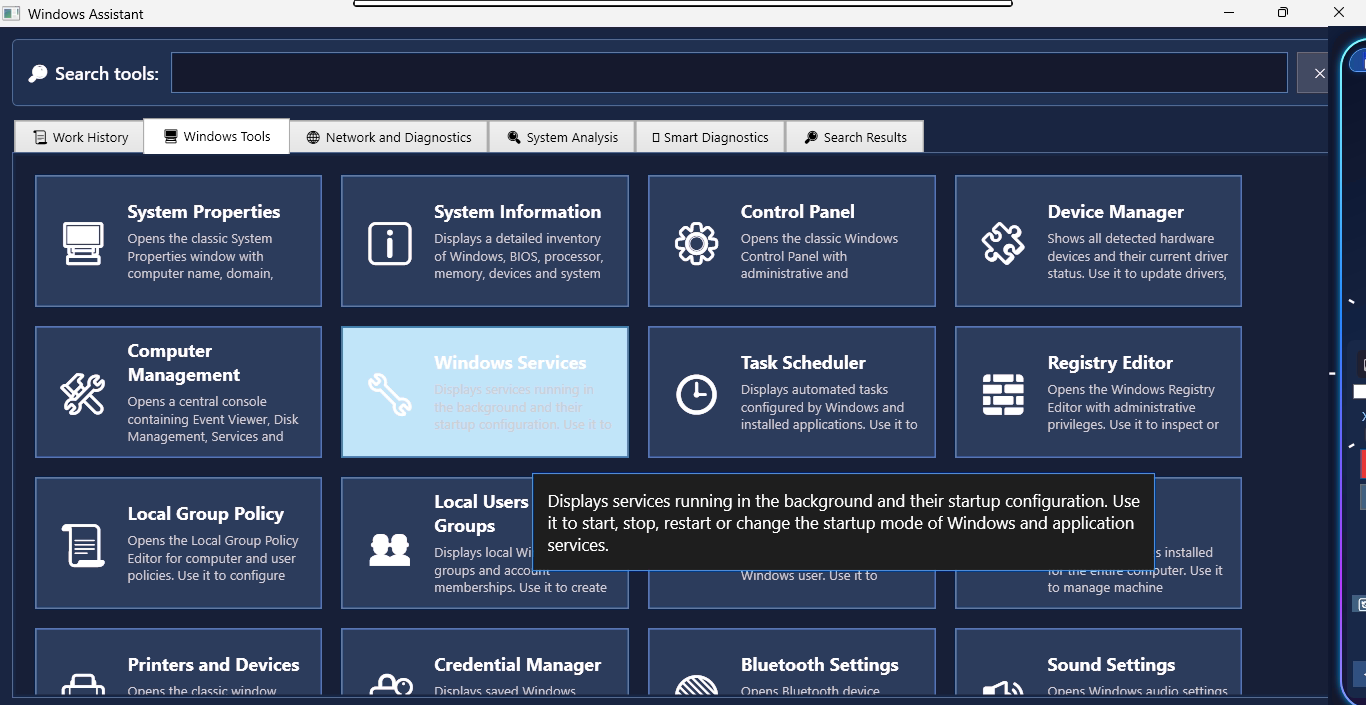
Fast access to administrative utilities, system settings and advanced Windows consoles.
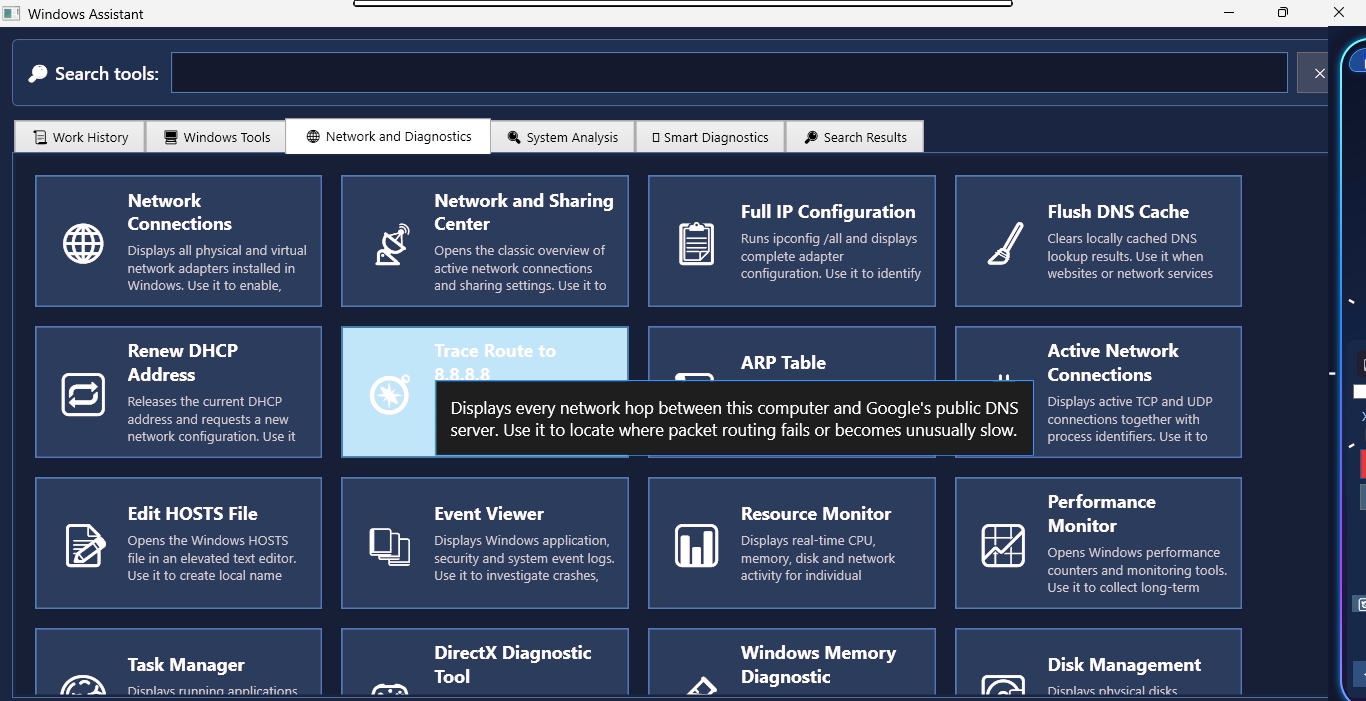
Tools for checking Internet connectivity, DNS, DHCP, adapters, routes and active connections.
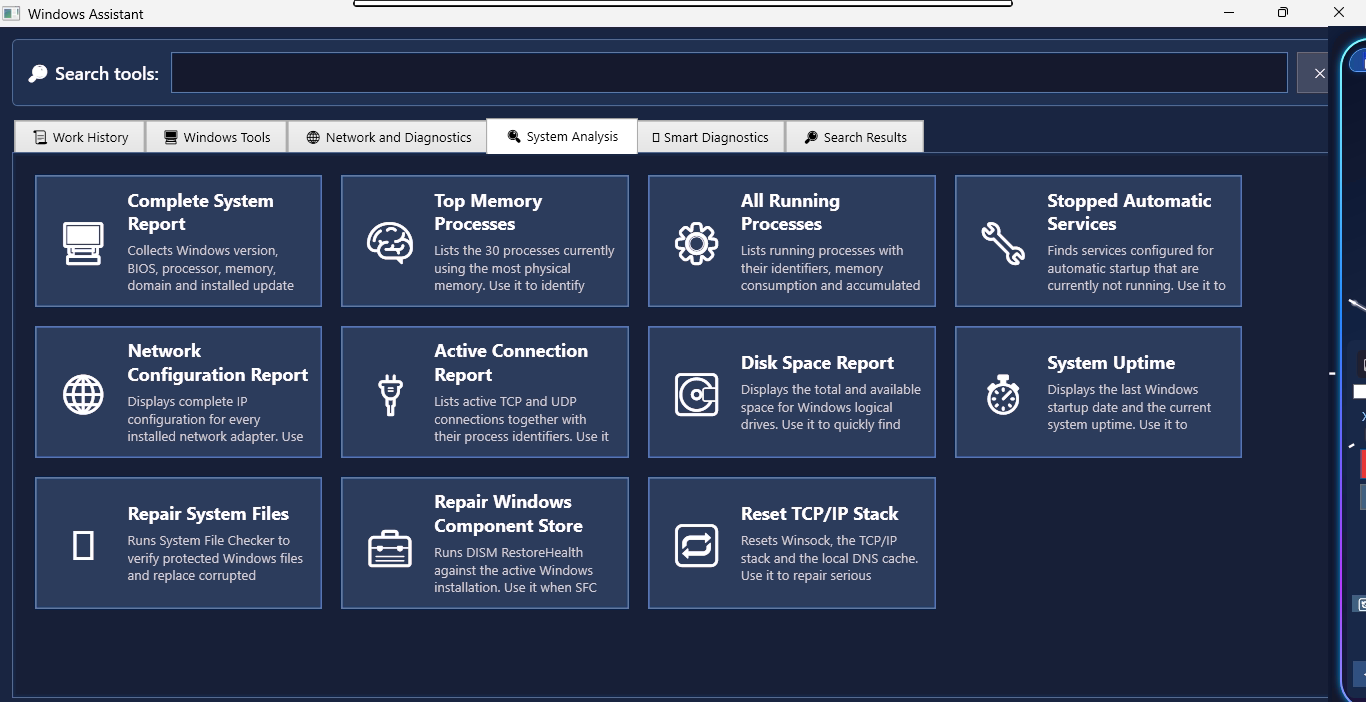
Inspect CPU, memory, disks, services, startup load, running processes and overall system health.
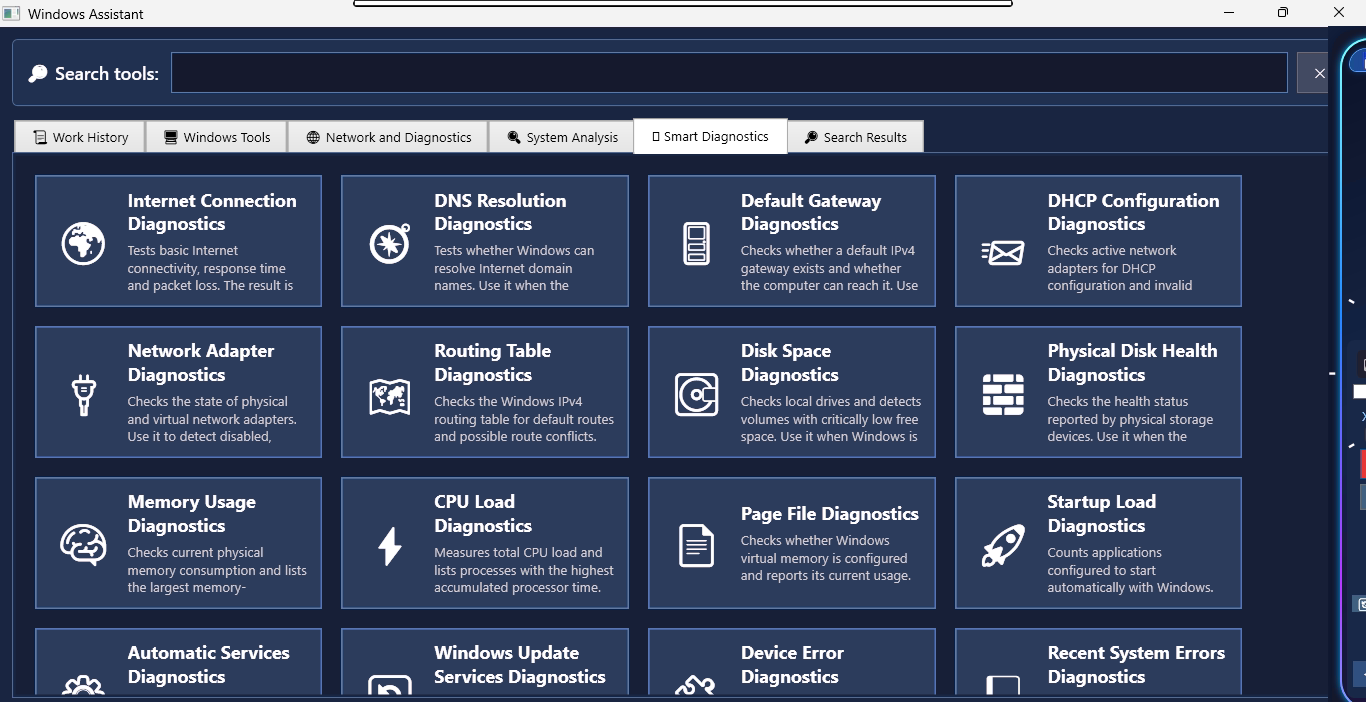
Guided checks for common Windows problems with readable conclusions and recommended next steps.
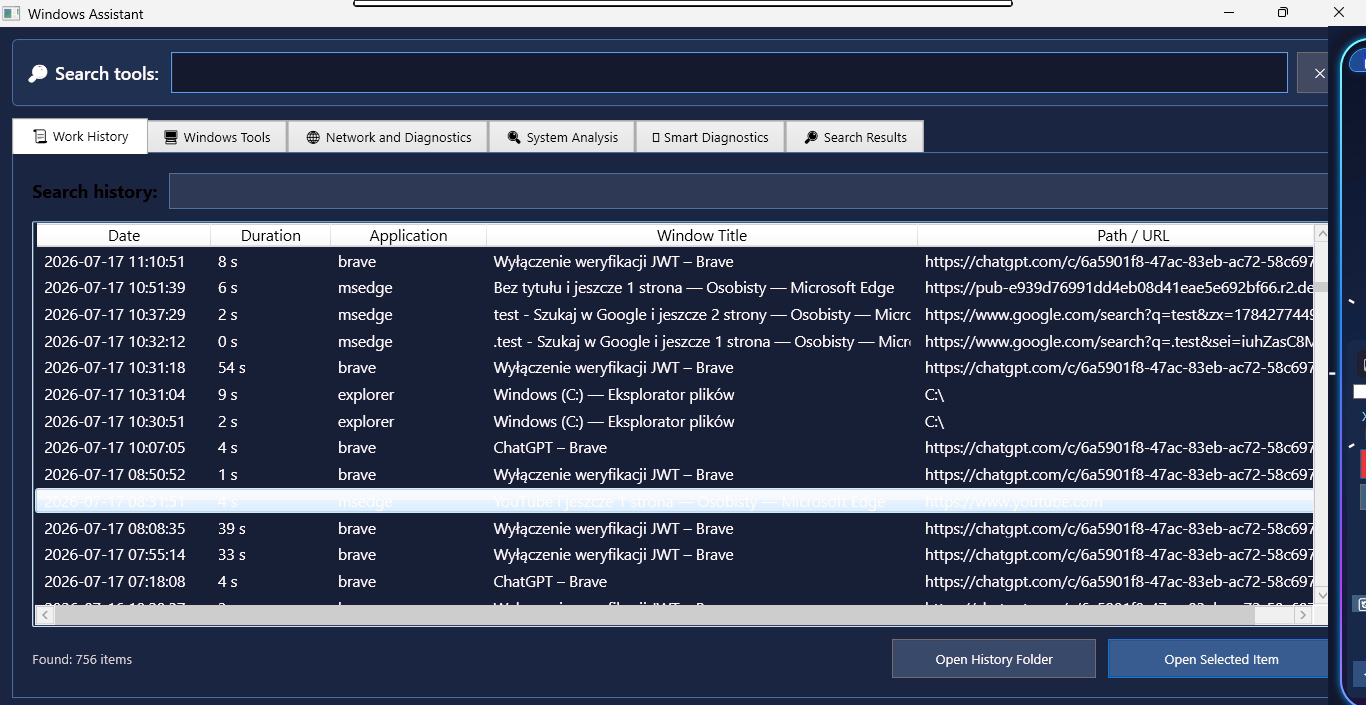
A searchable timeline of applications, documents, folders, websites and time spent on each activity.
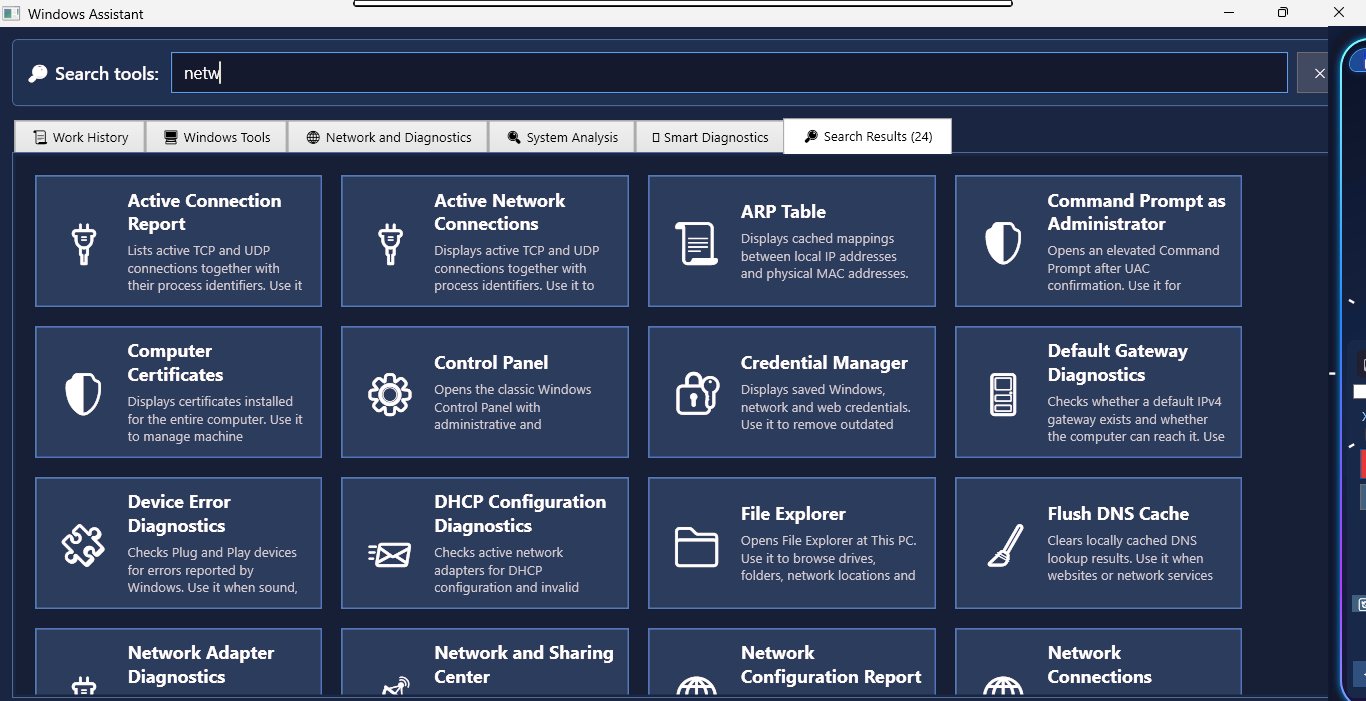
Type a few letters to filter tools and diagnostics immediately, without knowing exact command names.
Custom MC Taskbar is a native Windows application developed entirely in Microsoft Visual Studio using C# and .NET.
The current installer is not digitally code-signed. Because commercial code-signing certificates require an annual subscription, this independent project currently focuses on development rather than certificate licensing.
Windows Defender SmartScreen may display "Windows protected your PC" or "Unknown Publisher". This is expected for unsigned applications and does not indicate malware.
A trusted digital signature is planned for a future release.